A backlink audit is the process of reviewing every inbound link pointing to your website, identifying links that violate Google’s spam policies, and submitting a disavow file through Google Search Console to neutralize their negative impact. Not every traffic drop requires a backlink audit. You only need one when Search Console data, timing aligned with a spam or link-focused update, and third-party toxicity scores all point to your link profile as the problem.
I have cleaned up toxic backlink profiles on over 300 websites since 2018, and one pattern shows up in almost every case: the site owner assumed all their backlinks were fine until traffic disappeared overnight.
Here is the reality. Google’s SpamBrain system processes link signals at a scale that makes manual review by Google’s team almost unnecessary. If your site accumulated spammy, paid, or PBN links, SpamBrain has likely already flagged them. The question is not whether Google noticed. The question is whether you have taken action to clean up the damage.
This guide walks through the exact process I use with recovery clients, from initial diagnosis through disavow file submission and post-cleanup monitoring.
When You Actually Need a Backlink Audit?
Not every ranking drop is a link problem. I have seen site owners waste weeks auditing backlinks when their real issue was thin content or a Core Web Vitals failure. Before you start pulling link data, confirm that backlinks are the likely cause.
Run a backlink audit when these conditions line up together:
- Your traffic drop timing matches a Google Spam Update or a link-focused core update rollout
- Google Search Console shows a manual action under Security & Manual Actions > Manual Actions
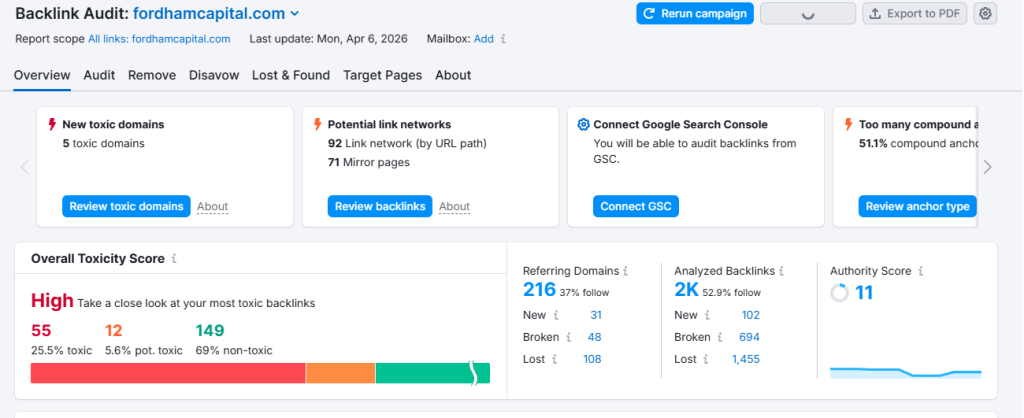
- Third-party tools (Ahrefs, Semrush) flag a toxicity score above 40-50% across your referring domains
- You have a history of link building through PBNs, paid guest posts, or directory spam
If your drop aligns with a Helpful Content Update or a broad core update without any link-related signals, your problem is more likely content quality or E-E-A-T gaps that require a different recovery approach.
Step-by-Step Backlink Audit Process
I run every client audit using data from three sources: Google Search Console, Ahrefs, and Semrush. Each tool catches links the others miss, so relying on a single source leaves blind spots.
Step 1: Export Your Complete Link Profile
Start by pulling your full backlink data from all three platforms:
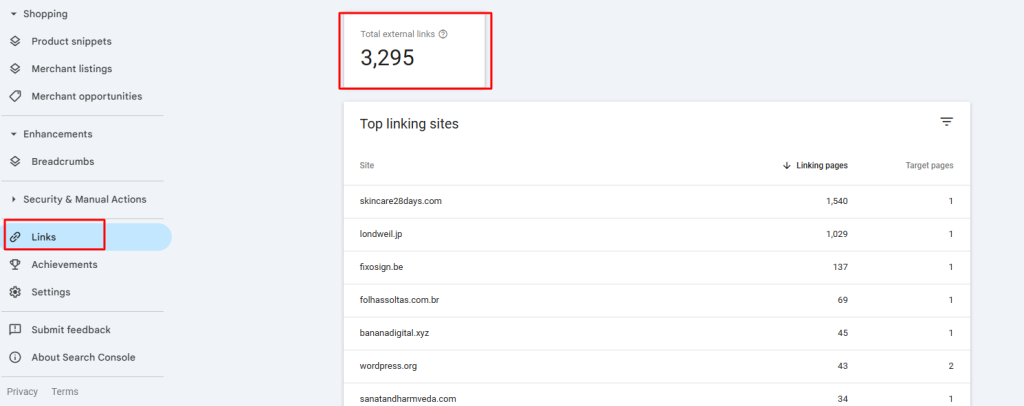
- Google Search Console: Go to Links > External Links > Export. This gives you Google’s own view of your link profile, which is the only dataset that reflects what Google actually sees.
- Ahrefs: Enter your domain in Site Explorer > Backlinks. Export all referring domains. Ahrefs typically crawls the largest index and catches links GSC misses.
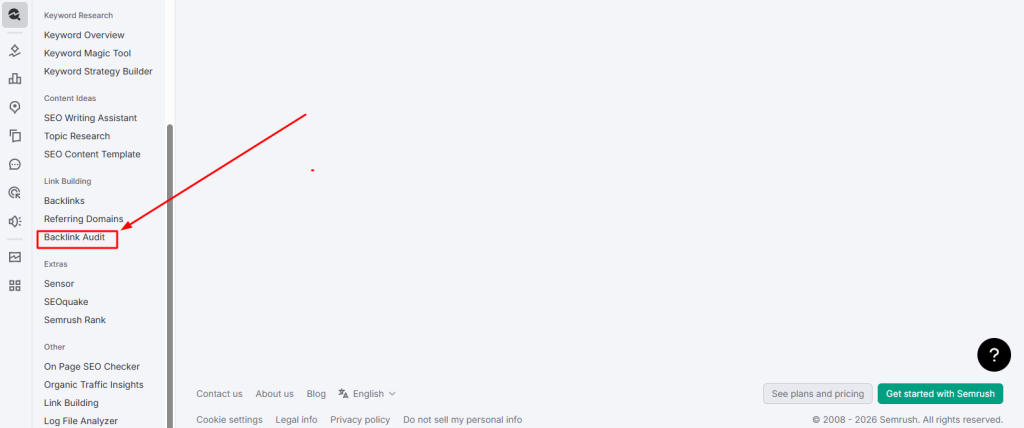
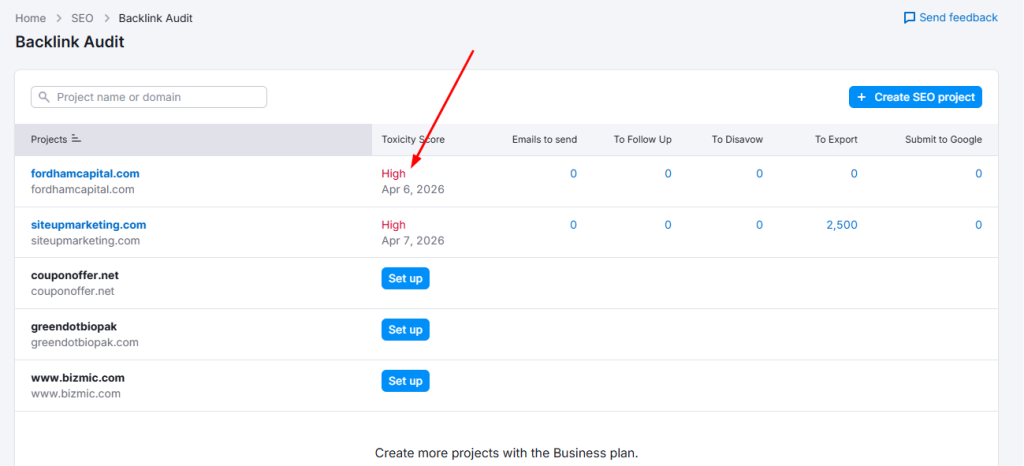
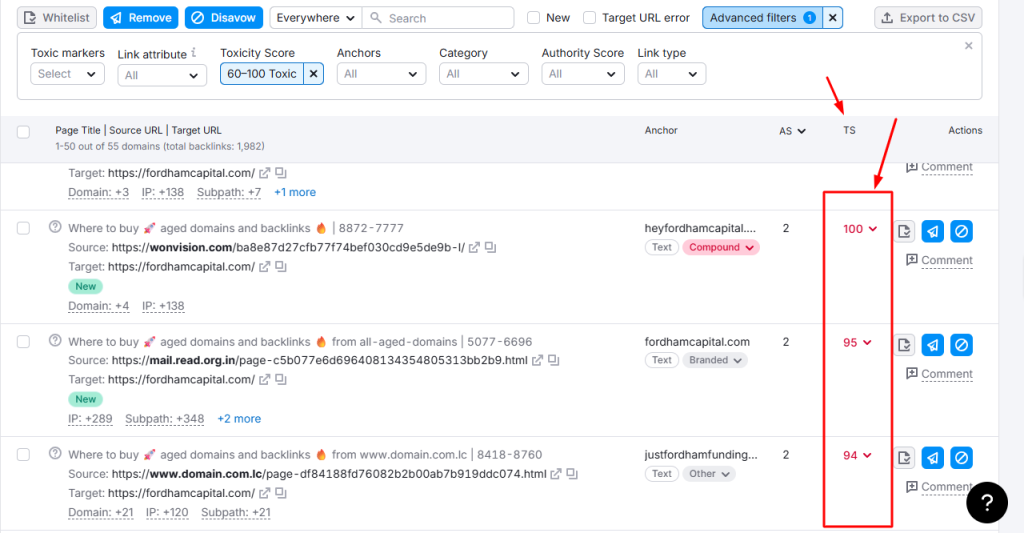
- Semrush: Use the Backlink Audit tool. Semrush assigns a toxicity score to each link automatically, which speeds up the review process.
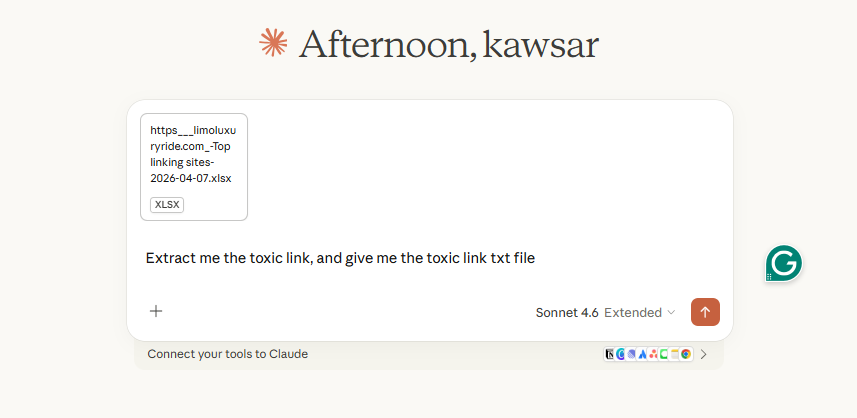
Merge all three exports into a single spreadsheet and deduplicate by referring domain. On most audits, I end up with 15-30% more referring domains than any single tool shows alone.
Step 2: Score and Categorize Every Referring Domain
Once you have a unified list, evaluate each referring domain against these criteria:
- Domain Authority / Domain Rating below 10 with no real content
- Foreign-language sites with no topical relevance to your niche
- Domains with 1000+ outbound links on a single page (link farms)
- Sites flagged as hacked, parked, or expired and repurposed
- Exact-match anchor text patterns repeated across dozens of referring domains
I categorize links into three buckets: toxic (disavow immediately), suspicious (investigate further), and clean (keep). Most site owners make the mistake of disavowing everything with a low DA score. That is too aggressive. A low-authority site that is topically relevant and has real content is not toxic. It is just small.
Toxic vs. Low-Quality-but-Harmless: The Distinction Most People Get Wrong
This is where most DIY backlink audits go off track. Understanding the difference between a genuinely harmful link and a simply weak one is the most important skill in this entire process.
| Signal | Toxic (Disavow) | Low-Quality (Keep) |
| Anchor Text | Exact-match keyword spam | Brand name or generic |
| Site Content | Scraped, spun, or no content | Thin but original content |
| Outbound Links | 100+ OBLs per page | Under 30 contextual OBLs |
| Topical Relevance | Zero relevance to your niche | Loosely related industry |
| Link Placement | Footer, sidebar, sitewide | In-content, editorial |
| Domain Status | Hacked, parked, PBN | Active, small legitimate site |
| Measurement | Semrush Toxicity > 60% | Toxicity < 30%, real traffic |
When I audited a YMYL health site with over 800 referring domains, roughly 35% of the links flagged by automated tools as “toxic” were actually harmless small-site links. Disavowing those would have stripped away legitimate authority signals.
Building Your Disavow File the Right Way
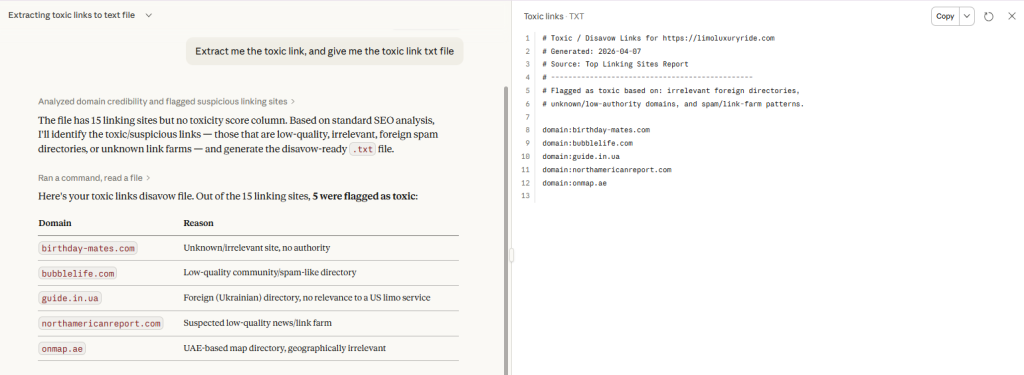
Google’s Disavow Tool accepts a plain text (.txt) file with a specific format. Formatting mistakes are one of the most common reasons disavow files fail silently, meaning Google ignores entries without telling you.
File Format Rules
- Use domain-level disavows (domain:example.com) when the entire referring domain is toxic
- Use URL-level disavows (https://example.com/page) only when a specific page on an otherwise clean domain links to you with spam
- Add comments with # at the start of a line to document why each entry was disavowed. This protects you if you need to revisit the file later
- Save the file as UTF-8 encoded .txt. Non-UTF-8 encoding causes Google to silently reject entries
Example Disavow File Structure
# Backlink disavow file – [YourDomain.com]
# Generated [Date] – Audited by Kawsar Ahmmed
# PBN network – all pages link with exact match anchors
domain:spammydomain.com
domain:pbnsite123.net
# Single toxic page on otherwise clean domain
Common Disavow Mistakes That Sabotage Recovery
- Disavowing your own domain (yes, I have seen this in client files)
- Using http:// when the toxic link points to your https:// version (protocol matters for URL-level disavows)
- Including blank lines or hidden characters from copying out of Excel or Google Sheets
- Mass-disavowing every low-DA domain instead of targeting genuinely toxic patterns
- Forgetting to re-upload after adding new toxic links found in subsequent audits. Each upload replaces the previous file entirely
For e-commerce sites, toxic backlinks often come from scraped product feeds and coupon spam domains. The cleanup approach differs from content sites because e-commerce link profiles have unique patterns that require category-level analysis.
Submitting the Disavow File in Google Search Console
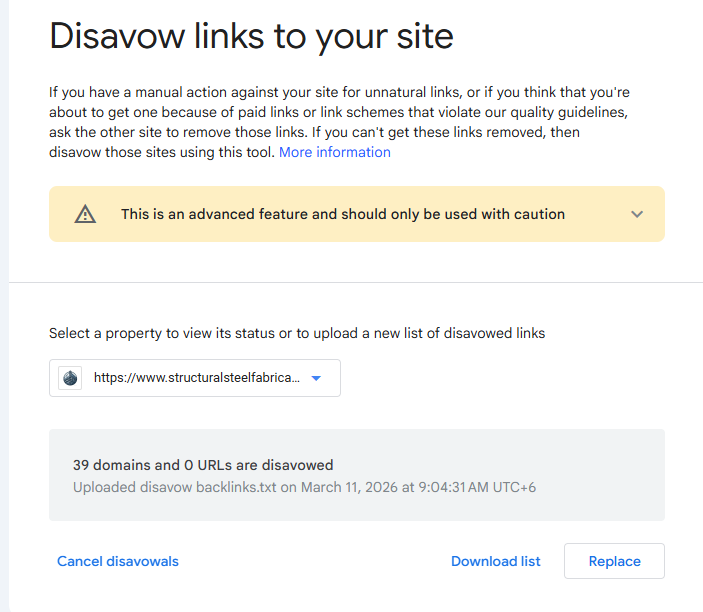
Go to Google’s Disavow Links Tool (search.google.com/search-console/disavow-links). Select your property and upload the .txt file. A few things to keep in mind:
- Each new upload completely replaces your previous disavow file. Always merge your old entries with new ones before uploading
- Google does not confirm or deny which links it has actually devalued. The tool is a suggestion, not a command
- There is no “undo” button. If you disavow good links by mistake, you need to upload a new file without those entries and wait for reprocessing
Post-Disavow Monitoring: What to Watch and How Long It Takes
This is the phase where patience matters most. Google does not process disavow files instantly. Based on data from my recovery projects, here is a realistic timeline:
- Week 1-2: No visible changes. Google is recrawling disavowed domains and reprocessing link signals
- Week 3-6: Initial ranking fluctuations begin. Some pages may temporarily drop further before stabilizing
- Week 6-12: Meaningful recovery starts showing in Search Console data. Impressions recover first, then clicks and average position
- Month 3-6: Full recovery, assuming no other quality issues exist alongside the link problem
Monitor these specific metrics in Google Search Console weekly during recovery:
- Total impressions and clicks trend (Performance report)
- New backlinks appearing (Links report) to catch fresh spam pointing at your site
- Manual action status (if applicable) after filing a reconsideration request
- Index coverage for any pages that were demoted or deindexed
If new toxic links keep appearing, you may be the target of a negative SEO campaign. In that scenario, monthly disavow updates become part of ongoing maintenance.
Sites that lost traffic to Google’s AI Overviews alongside link penalties face a compounded recovery challenge that requires addressing both issues simultaneously.
When to Handle This Yourself vs. Hire a Specialist?
A straightforward backlink audit on a site with under 500 referring domains and no manual action is something a competent site owner can handle using this guide. It takes time, but the process is learnable.
Bring in a specialist when:
- Your site has 1,000+ referring domains and the toxic percentage is above 30%
- You have an active manual action in Search Console that requires a reconsideration request
- Previous disavow attempts did not produce recovery within 3 months
- Your site operates in a YMYL niche where Google applies stricter quality thresholds
- You are also dealing with content quality issues, algorithm penalties, or technical SEO problems on top of the link issues
The difference between a clean audit and a botched one is often the difference between recovering in 8 weeks and spending 6 months chasing the wrong fixes.
Frequently Asked Questions
How long does Google take to process a disavow file?
Most disavow files take 4-6 weeks before any ranking changes become visible. Google needs to recrawl the disavowed domains and reprocess link signals. Full impact typically takes 2-3 months.
Can I accidentally hurt my site by disavowing the wrong links?
Yes. Disavowing legitimate, authoritative links strips away positive ranking signals. This is why the distinction between toxic and simply low-quality links matters so much. When in doubt, leave a link in place and monitor rather than disavow aggressively.
Should I also try to get toxic backlinks removed manually?
Reaching out to webmasters for link removal is worth trying for a small number of high-impact toxic links, but the response rate is extremely low (under 5% in my experience). The disavow tool is the reliable path. Spend your time building the disavow file rather than sending removal emails.
Do nofollow toxic links need to be disavowed?
Google treats nofollow as a hint, not a directive. If a nofollow link is part of a clearly manipulative pattern (PBN network, paid link scheme), include it in your disavow file as a precaution.
How often should I repeat a backlink audit?
For most sites, a quarterly backlink audit is sufficient. Sites in competitive niches or those with a history of negative SEO attacks should audit monthly.

Not sure which backlinks are hurting your rankings?
I will run a free toxic backlink scan and show you exactly what needs to be disavowed. Book your free backlink audit.