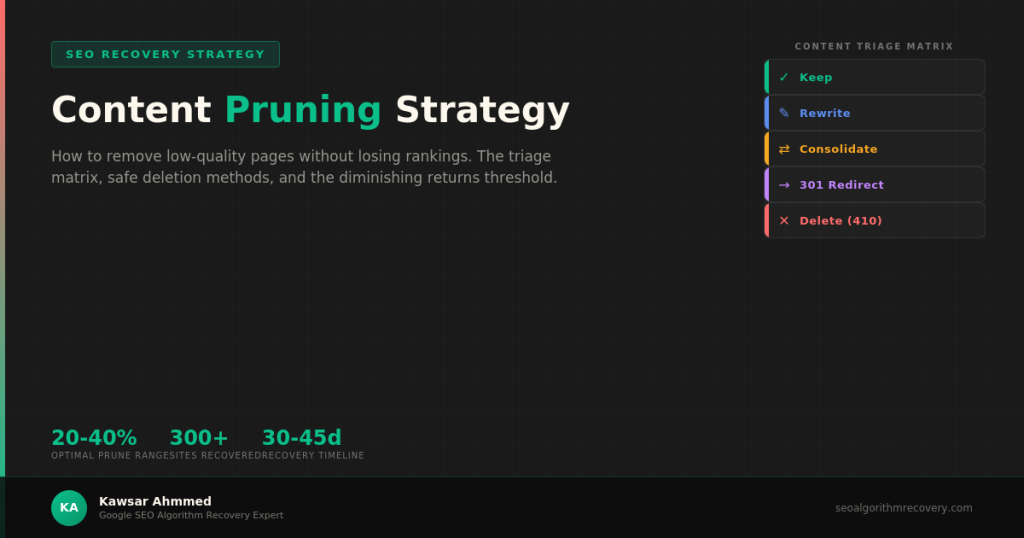
Content pruning is the process of removing, consolidating, or redirecting low-quality pages to improve your site’s overall quality signal in Google’s ranking systems. Done correctly, pruning lifts sitewide rankings by eliminating pages that dilute authority and drag down your domain’s perceived quality. Done incorrectly, it destroys internal link equity, triggers crawl errors, and makes your traffic situation worse. The key is knowing exactly which pages to keep, which to rewrite, and which to remove, then using the right technical method for each decision.
When Content Pruning Helps Recovery vs. When It Makes Things Worse?
Not every traffic drop needs pruning. I have worked with site owners who deleted hundreds of pages in a panic after a core update, only to lose even more rankings because they removed content that was actually performing.
Pruning helps when your site has a genuine quality problem: too many thin pages, duplicate content clusters, outdated articles with wrong information, or AI-generated filler that adds nothing for users. In these cases, Google’s systems treat the low-quality pages as a signal that your entire site lacks editorial standards.
Pruning hurts when you remove pages that still earn impressions, carry backlinks, or serve internal linking purposes. It also backfires when you delete without proper redirects, creating hundreds of 404 errors that waste crawl budget and break user experience.
Here is a quick diagnostic before you start:
- Prune if: Your site has more than 30% of indexed pages with zero clicks and zero impressions over the last 12 months in Google Search Console.
- Prune if: You published AI-generated or template-based content at scale and received a core update or Helpful Content Update hit.
- Do not prune if: Your traffic drop is isolated to specific high-performing pages. That pattern suggests a relevance or E-E-A-T issue, not a sitewide quality problem.
- Do not prune if: Your pages still earn backlinks from external sites. Deleting linked pages throws away authority you may never recover.
If your traffic loss pattern looks more like an AI Overviews displacement than a quality penalty, pruning will not help. My guide on recovering traffic lost to AI Overviews covers that separate diagnosis.
The Content Triage Matrix: Keep, Rewrite, Consolidate, Redirect, or Delete
Every page on your site falls into one of five categories. The triage matrix I use with recovery clients scores each page across three dimensions: search performance, backlink value, and content quality.
| Action | When to Apply | Performance Signal | Backlink Signal | Priority | Measurement |
| Keep | Page earns clicks and impressions, content is accurate and helpful | > 100 clicks/90 days | Any external links | No action | Monthly GSC click trend |
| Rewrite | Topic is valuable but content is thin, outdated, or AI-generated | Impressions but low CTR | Some external links | High | CTR improvement post-rewrite |
| Consolidate | Multiple pages targeting the same topic or keyword | Split impressions across pages | Links spread across duplicates | High | Combined page performance |
| Redirect | Page has backlinks but content is no longer relevant | Zero clicks, declining impressions | Strong backlink profile | Medium | Link equity preserved via 301 |
| Delete | No traffic, no links, no relevance, low quality | Zero performance 12+ months | No external links | Low risk | Indexed page count reduction |
The most common mistake I see is treating pruning as binary: keep or delete. The reality is that most pages fall into the rewrite or consolidate categories, not the delete bucket. Deletion should be your last resort, not your first instinct.
For e-commerce sites specifically, the consolidation step is critical because faceted navigation often creates dozens of near-duplicate category pages. I cover that overlapping problem in my e-commerce SEO recovery guide.
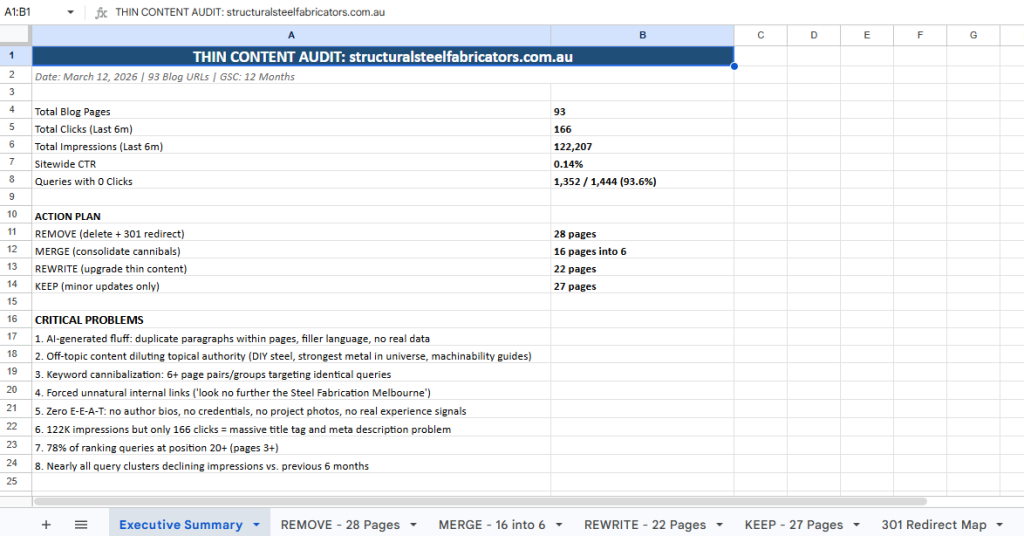
How to Identify Pages Dragging Down Your Sitewide Quality Score?
Google does not publish a ‘quality score’ metric you can check, but you can reverse-engineer which pages are hurting your site by combining data from Google Search Console and a crawler like Screaming Frog.
Step 1: Export Your GSC Performance Data
In Google Search Console, go to Performance and set the date range to the last 12 months. Export all pages with clicks, impressions, CTR, and average position. Sort by clicks ascending. Pages with zero clicks and fewer than 50 impressions over 12 months are your initial candidates for triage.
Step 2: Cross-Reference with Crawl Data
Run a Screaming Frog crawl and export the full page list. Look for pages with thin word counts (under 300 words), duplicate title tags, duplicate meta descriptions, and pages returning soft 404 signals. Overlay this with your GSC data to find pages that are both technically weak and performing poorly.
Step 3: Check Backlink Profiles
Before marking any page for deletion, run it through Ahrefs or Semrush to check for external backlinks. A page with zero traffic but 15 referring domains still carries link equity that you need to preserve through a redirect. My backlink audit and disavow guide walks through the full link evaluation process.
Step 4: Score and Categorize
Create a spreadsheet with every page and three columns: performance score (based on GSC data), link score (based on backlink count), and quality score (based on manual content review). Assign each page to one of the five triage actions. This spreadsheet becomes your pruning roadmap.
Safe Deletion: 301 Redirects, Noindex, 410, and 404 Explained
How you remove a page matters as much as which page you remove. Using the wrong method can create technical problems that make your recovery harder.
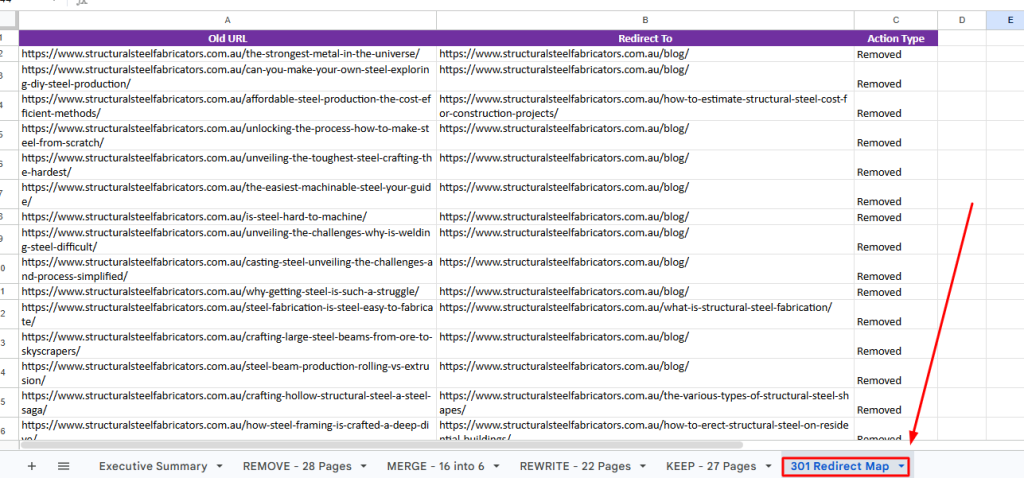
- 301 redirect. Use when the page has backlinks or when a closely related page exists to redirect to. This is the safest method because it preserves link equity and sends users to relevant content instead of a dead end.
- Noindex tag. Use when you want to keep the page accessible to users but remove it from Google’s index. Good for internal resource pages, thin tag pages, or archive pages that serve a navigation purpose but should not rank.
- 410 Gone. Use when the page is permanently removed, and no relevant redirect target exists. A 410 tells Google explicitly that the content is intentionally gone, which is a cleaner signal than a 404.
- 404 Not Found. Avoid this for intentional removals. 404s tell Google the page might come back. If you are deliberately pruning, use a 410 or redirect instead.
One critical rule: never delete a page without checking its internal links first. If 20 other pages on your site link to the page you are about to remove, you need to update those internal links before or immediately after deletion. Broken internal links waste crawl budget and create poor user experience, both of which hurt recovery.
For a systematic approach to catching all technical issues alongside your pruning work, my post-update SEO audit checklist provides the full diagnostic framework.
How Much to Prune: The Diminishing Returns Threshold?
One of the hardest questions in content pruning is knowing when to stop. Prune too little and Google’s quality systems do not register the improvement. Prune too much and you lose topical coverage and internal linking structure.
Based on recovery cases I have managed across publishing, ecommerce, and niche content sites, here is what the data shows:
- 10-20% pruning. Minimal impact. Usually not enough to shift Google’s sitewide quality assessment unless the removed pages were exceptionally low quality.
- 20-40% pruning. This is the sweet spot for most recovery cases. Removing or consolidating one-quarter to one-third of a site’s indexed pages typically produces measurable ranking improvements within one update cycle.
- 40-60% pruning. Aggressive but sometimes necessary for sites that are published at a massive scale with AI content or programmatic templates. At this level, you are essentially rebuilding the site’s content foundation.
- 60%+ pruning. Diminishing returns territory. Removing more than 60% of your content often damages topical authority and destroys too much internal linking structure. At this point, a fresh domain might be more effective than continued pruning.
The right percentage depends on your starting quality. A site with 1,000 pages where 300 are AI-generated filler needs different treatment than a site with 200 pages where 50 are slightly outdated.
After pruning, do not expect instant results. Google needs to re-crawl your site, re-evaluate the remaining pages, and update its quality assessment. For YMYL sites where content quality standards are even stricter, the recovery timeline extends further. I cover those vertical-specific timelines in my YMYL site recovery guide.
Common Content Pruning Mistakes to Avoid
After guiding hundreds of pruning engagements, these are the errors I see site owners repeat:
- Deleting pages based on gut feeling. Every pruning decision should be backed by GSC data, crawl analysis, and backlink checks. Intuition is not a strategy.
- Pruning without updating internal links. Removing 50 pages but leaving 200 broken internal links pointing to them creates a bigger technical problem than the thin content you just removed.
- Using 404 instead of 301 or 410. Accidental 404 errors from pruning the waste crawl budget and losing link equity. Be intentional about your removal method.
- Deleting pages that earn backlinks. Always check external link profiles before removing any page. Redirect linked pages instead of deleting them.
- Pruning once and stopping. Content quality degrades over time. A page that is accurate today may become outdated in six months. Build a quarterly content review process, not a one-time cleanup.
- Removing content during an active update rollout. Wait until the update finishes before making major changes. Pruning during a rollout makes it impossible to measure what worked.
Recommended External Resources
For Google’s official guidance on how they evaluate content quality at the page and site level, review Google’s documentation on creating helpful, reliable, people-first content, which directly informs which pages Google’s systems consider low-quality.
To understand how Google’s crawling and indexing systems process removed or redirected pages, the Google Search Central documentation on URL removals and crawl budget explains the technical mechanics behind each removal method.
For data-driven content audit methodology, the Screaming Frog SEO Spider documentation provides the technical crawl analysis framework referenced throughout this guide.
Frequently Asked Questions
Will deleting pages hurt my SEO?
It depends on which pages you delete and how you delete them. Removing low-quality pages with zero traffic, zero backlinks, and no unique value typically improves sitewide rankings. Deleting pages that carry backlinks or still earn impressions without proper redirects will hurt your SEO.
How many pages should I prune for recovery?
Most successful recovery cases involve pruning 20-40% of indexed pages. The exact percentage depends on how much low-quality content exists on your site. Sites with heavy AI-generated or template content may need to prune 40-60% before Google’s quality systems register the improvement.
Should I use 301 redirect or just delete the page?
Use a 301 redirect when the page has external backlinks or when a closely related page exists on your site. Use a 410 status code for permanent removal when no relevant redirect target exists, and the page has no backlinks. Avoid relying on 404 errors for intentional removals.
How long after pruning before I see ranking improvements?
Typically, one Google update cycle is roughly 30 to 45 days. Google needs time to re-crawl your site, process the removals, and re-evaluate your domain’s overall quality signal. Some sites see faster results if they prune aggressively and the next update rolls out soon after.
Can I prune content on a live site or should I wait?
Prune on your live site but avoid making changes during an active algorithm update rollout. Wait until the update completes, analyze your data, build your triage spreadsheet, then execute the pruning in batches rather than all at once. This lets you monitor the impact incrementally.

Afraid of deleting the wrong pages?
I am Kawsar Ahmmed, a Google SEO algorithm recovery expert. I will audit your content and tell you exactly which pages to keep, consolidate, or remove. Every pruning decision is backed by GSC data, backlink analysis, and manual quality review so you never lose rankings from a bad call.