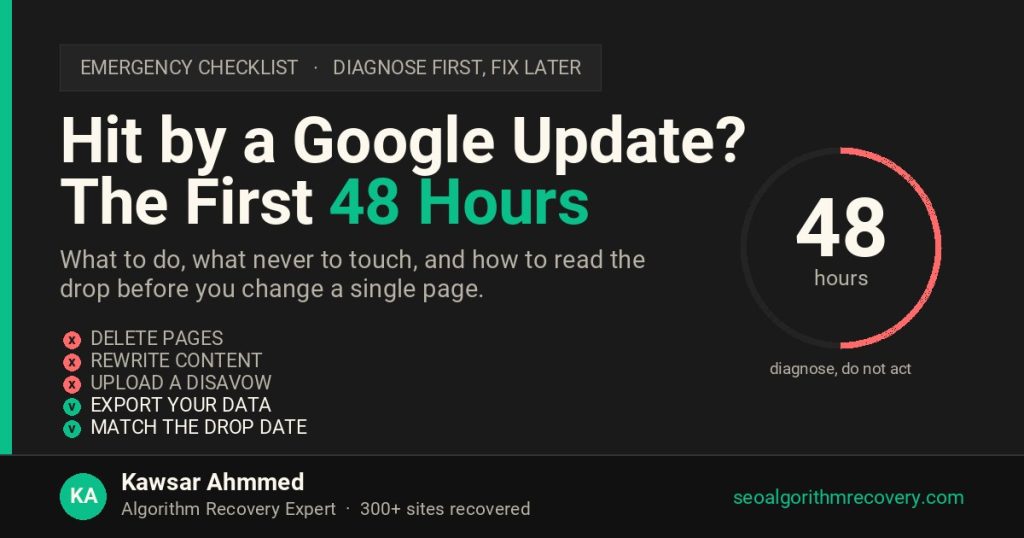
In the first 48 hours after a Google update hits, do nothing to your site. Export your Search Console data before it ages out, confirm the exact date clicks fell, check whether an update was rolling out that day, and identify which page group dropped. Deleting content, changing site structure or rewriting pages in the first two days is the single most common way owners turn a recoverable drop into a permanent one. Diagnose first. The fixes come in week two.
Why the first 48 hours matter more than the next 48 days
Two things happen in the first two days that you cannot get back later. Search Console data is at its freshest, and your site is still in the exact state Google judged. Both are evidence. Once you start changing pages, you lose the ability to prove what caused the drop, and you lose the before-and-after comparison that tells you whether a fix worked.
The second reason is emotional, and it costs more money than the first. A traffic drop feels like an emergency, so people act. In my experience across 300+ recovery engagements, sites that made rushed changes in the first week took roughly twice as long to recover as sites that waited and diagnosed properly, because the rushed changes had to be identified and undone before real work could begin.
Do not do these five things
Start with the list of what to avoid, because every item here is something I have had to reverse for a client at their expense.
- Do not delete or noindex pages. Why: You do not yet know which pages caused the problem. Deleting a page that was fine removes its links, its history and its rankings permanently. Pruning is a real recovery tactic, but it belongs in week three, after the data says which pages to prune.
- Do not rewrite content site-wide. Why: A site-wide rewrite destroys the evidence. If half your pages change, you can never tell whether recovery came from the rewrite or from the next core update reassessing the pages you left alone.
- Do not upload a disavow file. Why: Disavow is slow to take effect and slow to reverse. Most drops are not link related, and disavowing good links is a common self-inflicted injury. Confirm a link cause first, using the backlink audit and disavow guide.
- Do not change URLs, redirects or site structure. Why: Structural changes during a rollout create a second problem on top of the first, and the two become impossible to separate in the data.
- Do not buy links or launch a link campaign. Why: A sudden burst of new links during a drop looks exactly like manipulation. If the drop was a spam or link update, this makes it worse.
There is one exception. If something is genuinely broken, a server error, a robots.txt blocking your whole site, an accidental noindex from a staging deploy, fix that immediately. A technical outage is not an algorithm drop and waiting helps nobody. The Search Console guide covers how to tell the difference in minutes.
Hour 0 to 4: preserve the evidence
Search Console keeps 16 months of data on a rolling basis, and comparison windows shift every day. Export now and you have a permanent record of the moment.
- Export Performance data for the last 16 months, by date, by query, by page and by country. Why: Four separate exports. Each one answers a different diagnostic question later, and the query export in particular expires from your reach as the window rolls.
- Screenshot the Performance chart with the drop visible. Why: You will need this for internal reporting and for any specialist you hire. It also date-stamps the event.
- Export the Pages report from Indexing. Why: If indexed page counts changed in the same week, the cause may be technical rather than algorithmic.
- Note the exact date and time of any recent site changes. Why: Deploys, plugin updates, theme changes, content migrations. If a change landed within three days of the drop, it is a suspect and it is faster to check than an algorithm theory.
- Take a crawl snapshot of the site as it stands today. Why: Screaming Frog or similar. This is the version Google judged. Without it you cannot prove what changed later.
Hour 4 to 24: find the date and match it
The drop date is the most valuable single fact you have. Everything else is interpreted through it.
- Find the first day clicks fell, not the day you noticed. Why: Most people notice three to seven days late. Set Search Console to daily granularity and scroll back to where the line breaks from its normal pattern.
- Check clicks and impressions separately. Why: If impressions held and clicks fell, you probably kept your rankings and lost the click to an AI Overview or a SERP layout change. That is a completely different problem, covered in recovering traffic lost to AI Overviews.
- Compare against the same period last year. Why: Retail, travel, education and B2B all have predictable seasonal dips. A year-over-year view separates seasonality from a real drop in about two minutes.
- Match the date against confirmed updates. Why: Open the live Google algorithm update tracker. If your drop starts inside a rollout window, you have a named candidate and a known recovery path. If nothing matches, check the volatility sensor for that date, because unconfirmed adjustments are now more common than confirmed ones.
Hour 24 to 48: scope the damage
Which pages dropped tells you which ranking system moved. This is the step most owners skip, and it is the one that determines the entire recovery plan.
- Group your pages by template: blog, product, category, service, location, author. Why: Then compare click loss per group. The pattern is the diagnosis.
- Check the Manual Actions and Security Issues reports. Why: A manual action is a human decision with its own fix path, the reconsideration request. It takes ten seconds to rule out and changes everything if present. See manual action vs algorithmic penalty for the full distinction.
- Check whether competitors moved into your positions. Why: Sometimes you did not fall, someone else rose. That needs competitive work, not recovery work, and the fix is entirely different.
- Check server logs or uptime records for the drop week. Why: An outage during a crawl spike causes real ranking loss that looks algorithmic and resolves on its own.
What the scope pattern tells you
Read your page-group comparison against this table. The Measurement column is what you check in Search Console to confirm each reading.
| What dropped | Likely cause | Measurement (how to confirm) | Where to go next |
|---|---|---|---|
| Almost every page, similar percentage | Core update or helpful content demotion | Drop date sits inside a confirmed core rollout window | Core update recovery |
| One page template only | A system that judges that page type: reviews, local, product | Other templates hold their clicks in the same period | Template-level quality work |
| Impressions stable, clicks down | AI Overview or SERP layout displacement | Average position flat while CTR falls | AI Overview recovery method |
| Impressions down, clicks roughly stable | Reporting change, not a ranking loss | Average position improves at the same time | No action needed |
| Indexed pages fell in the same week | Technical or indexing problem | Pages report shows a jump in excluded URLs | Fix immediately, this is the exception |
| Specific pages with a notice in Search Console | Manual action | Manual Actions report is not empty | Reconsideration request |
| Gradual decline over weeks, no single date | Competitors, content decay or link loss | No sharp break in the daily click line | Competitive and content refresh work |
The two-week freeze
After the 48 hours, hold the site stable for another twelve days unless you found a genuine technical fault. Two reasons.
First, core updates take 12 to 24 days to complete and rankings move in both directions during that window. A drop on day three of a rollout is not a final result. Sites regularly recover part of the loss before the update finishes, with no intervention.
Second, unconfirmed adjustments are frequently refined or reversed within days. Changing your site in response to a change that Google then rolls back leaves you worse off than doing nothing.
Use the freeze to plan. By the end of it you should know the cause, the affected page group and the fix. Then implement in one deliberate pass rather than a dozen panicked ones. For how long the whole process takes from there, see how long Google algorithm recovery takes.
When to call for help instead
Handle it yourself if the drop is small, matches a known update, and affects one page group you understand. Bring in a specialist when any of these are true.
- The drop is more than 30 percent and the site carries real revenue. Why: The cost of a wrong diagnosis is now larger than the cost of a second opinion.
- The scope pattern does not match any row in the table above. Why: Overlapping causes are common and hard to separate without experience of what each one looks like in isolation.
- You are in a YMYL category: health, finance, legal. Why: These are judged hardest and recover slowest. Getting the YMYL recovery approach wrong costs a full core update cycle.
- Someone on the team has already started making changes. Why: The evidence is contaminated and it takes a specialist to work backwards from what remains.
Frequently asked questions
What should I do first when a Google update hits my site?
Export your Search Console data for the last 16 months by date, query, page and country before it ages out. Then find the exact date clicks fell and match it against confirmed update rollout windows. Change nothing on the site until you know the cause.
Should I delete pages after a Google update?
Not in the first two weeks. Pruning is a legitimate recovery tactic but only once the data shows which pages are the problem. Deleting pages early removes rankings, links and history permanently, and often removes pages that were never involved.
How do I know if it was an algorithm update or something I did?
Check whether any deploy, plugin update or content change landed within three days of the drop date. If yes, test that first because it is faster to rule out. If the site was untouched and the date matches a confirmed rollout, it is very likely algorithmic.
How long should I wait before making changes?
Two weeks, unless you find a genuine technical fault such as a server error or an accidental noindex, which should be fixed immediately. Core updates take 12 to 24 days to complete and rankings move both ways during that period.
My rankings are the same but traffic dropped. What happened?
That pattern usually means an AI Overview or another SERP feature took the click while your position held. It is not an algorithm penalty and rewriting the page rarely helps. It needs a format and query targeting change instead.
Can I check if Google penalised my site?
Open the Manual Actions report in Search Console. If it is empty, there is no manual penalty and any drop is algorithmic, technical or competitive. There is no tool that detects an algorithmic demotion directly; it is diagnosed from the drop date, the scope and the update timeline.
How long an outage can last before it costs rankings, and which error code to return, is covered in does website downtime hurt Google rankings.
Hit in the last 48 hours and not sure what you are looking at?
Send your Search Console access or the exports from step one. Within 48 hours I tell you which update it correlates with, which page group is affected, and whether it is algorithmic, technical or click displacement. Free, no obligation.
Get free recovery auditSources: Google Search Central documentation on core updates, manual actions and Search Console reports; confirmed rollout dates from the Google Search Status Dashboard as recorded on this site’s live update tracker; diagnostic sequence and outcome patterns from client engagements between 2017 and 2026.